Orientation Mode

NeuroBotanica Academy

Finish the lessons below to prepare for your first live consultation.

Back to Budtender App

Orientation Progress

0% complete

0 of 3 lessons completed

Apothecary Lab Mode

NeuroBotanica unites apothecary ritual with compliance intelligence.

Hands-on overlay guiding budtenders through search, biomarker entry, and interpreting TS-PS-001 outputs.

Apothecary runs/day
48

Edge simulated consults

Sensor inputs
16

Biomarkers + terpene cues

Latency budget
<200 ms

Cloudflare lab orchestration

Step 01

Locate each panel quickly during live consultations

Step 02

Know what to do when biomarkers are missing

Step 03

Feel confident explaining the synergy card
Launch Lab Sandbox
Hybrid DNA helix made of circuitry and botanical glyphs

NeuroBotanica in 90 Seconds

Clip + talking points to explain tradition-to-tech pipeline.

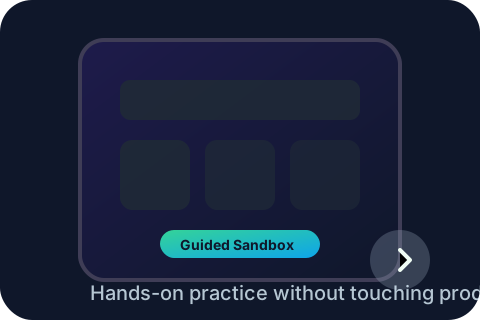
Tablet walkthrough illustration

Tablet Workflow Practice

Overlay-driven mock consultation that highlights each panel.

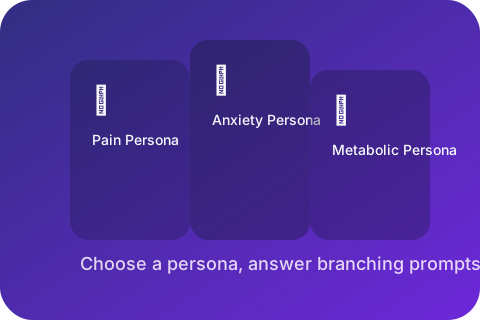
Case study sprint persona cards

Case Study Sprint

Three personas illustrate how to tailor terpene + adjuvant guidance.

Lesson

NeuroBotanica in 90 Seconds

High-level walkthrough covering evidence, terpene intelligence, and why TS-PS-001 matters at the counter.

2 minPending

Objectives

  • Understand the mission and Nevada compliance guardrails
  • See how terpene + biomarker pairing shortens consultations
  • Remember the three talking points for customers

Key Actions

  1. 1

    Watch the brand story clip

    45-second video that frames cultural preservation plus modern compliance.

    Tip: Cache the MP4 so it plays smoothly on low bandwidth.

  2. 2

    Review outcome stats

    Card highlights 505+ studies, accuracy lifts, and pilot KPIs for credibility.

  3. 3

    Commitment check

    Simple question: "Can you explain NeuroBotanica in one line?" to reinforce retention.

Progress syncs automatically to the budtender tablet.

Lesson

Tablet Workflow Practice

Hands-on overlay guiding budtenders through search, biomarker entry, and interpreting TS-PS-001 outputs.

3 minPending

Objectives

  • Locate each panel quickly during live consultations
  • Know what to do when biomarkers are missing
  • Feel confident explaining the synergy card
Key Actions

  1. 1

    Launch sandbox mode

    Creates a mock customer record with preset conditions so trainees cannot impact production data.

  2. 2

    Follow the glow path

    Guided overlay highlights each component with short copy blocks and keyboard focus states.

  3. 3

    Reset + repeat

    One tap reset clears sandbox data allowing unlimited reps.

Progress syncs automatically to the budtender tablet.

Lesson

Case Study Sprint

Scenario-based exercise using personas for pain, anxiety, and metabolic goals.

3 minPending

Objectives

  • Map conditions to terpene/adjuvant narratives
  • Practice phrasing recommendations with clinical language
  • Capture confidence ratings for analytics

Key Actions

  1. 1

    Choose a persona

    Cards include symptom cues, preferred consumption methods, and concerns.

  2. 2

    Answer branching prompts

    Learners select best-fit guidance and see instant feedback with rationale.

  3. 3

    Submit confidence pulse

    Thumbs up/down plus optional note stored for the manager dashboard.

Progress syncs automatically to the budtender tablet.

Next Steps

Keep going to unlock sandbox mode.

Your progress automatically saves on this tablet. Once you finish the lessons, you can access certification quizzes and sandbox practice directly from the Budtender app.

Return to Budtender App